Know which security flaws affect your Mac.
Flare checks your apps, your code and your Docker images against known flaws, tells you which ones are urgent, and shows what to do.
macOS 15 or later · Apple silicon · Free
Your Mac
Apps, Homebrew packages, Node, Python and Go, browser and editor extensions, macOS and Safari.
Your code
The packages and dependencies of the projects that you choose, with the fix for each repo.
Your Docker images
The packages inside your images, and which images you still use.
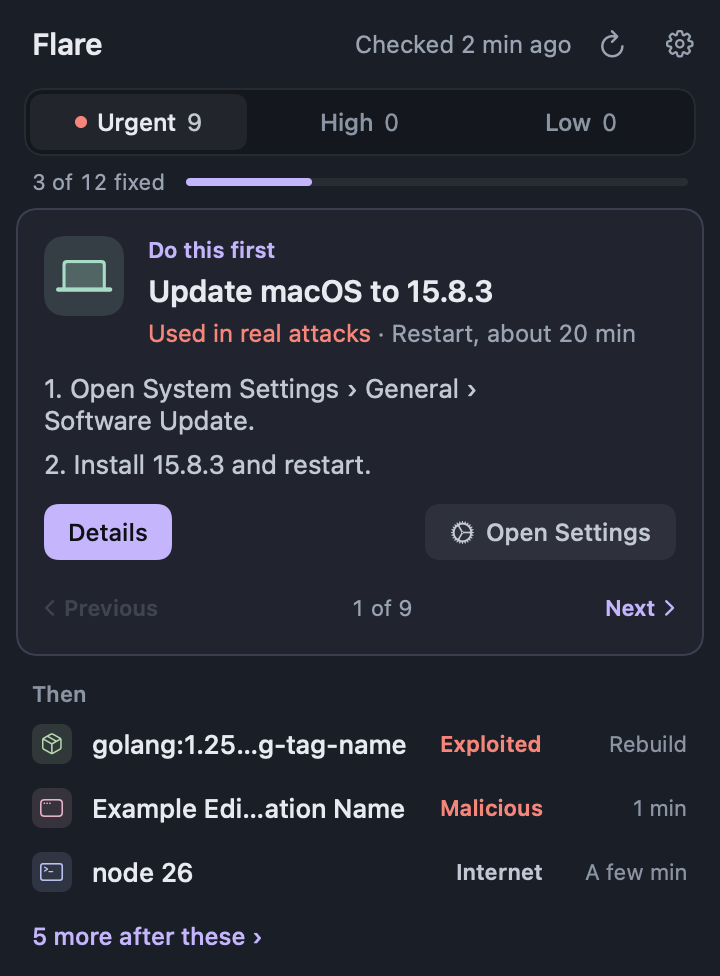
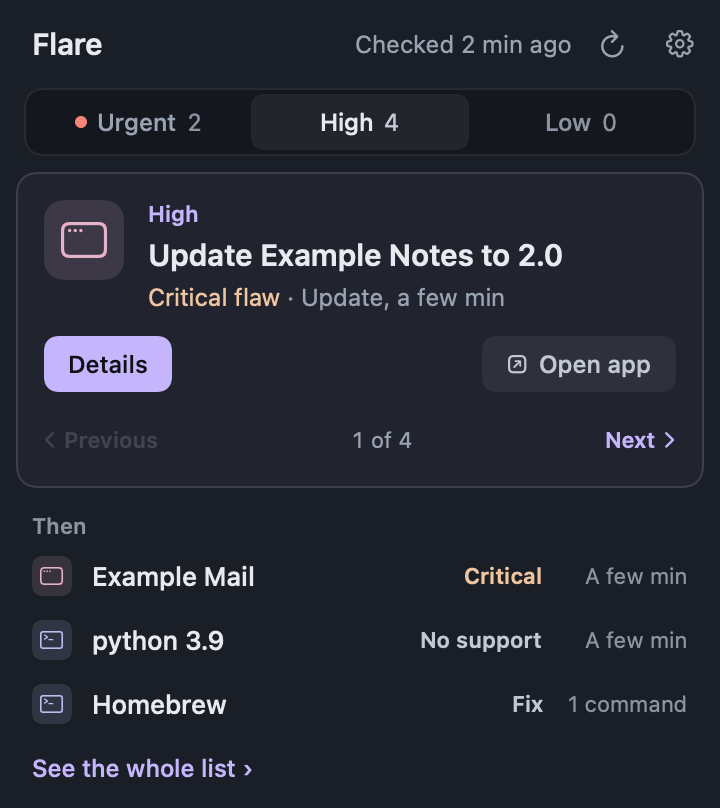
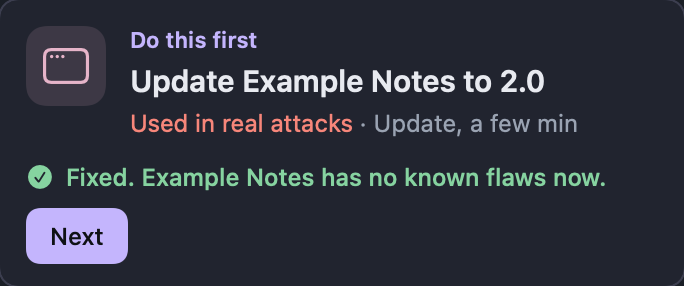
See what is urgent first
One card shows the update to do now, with its steps. The tabs Urgent, High and Low sort the rest.
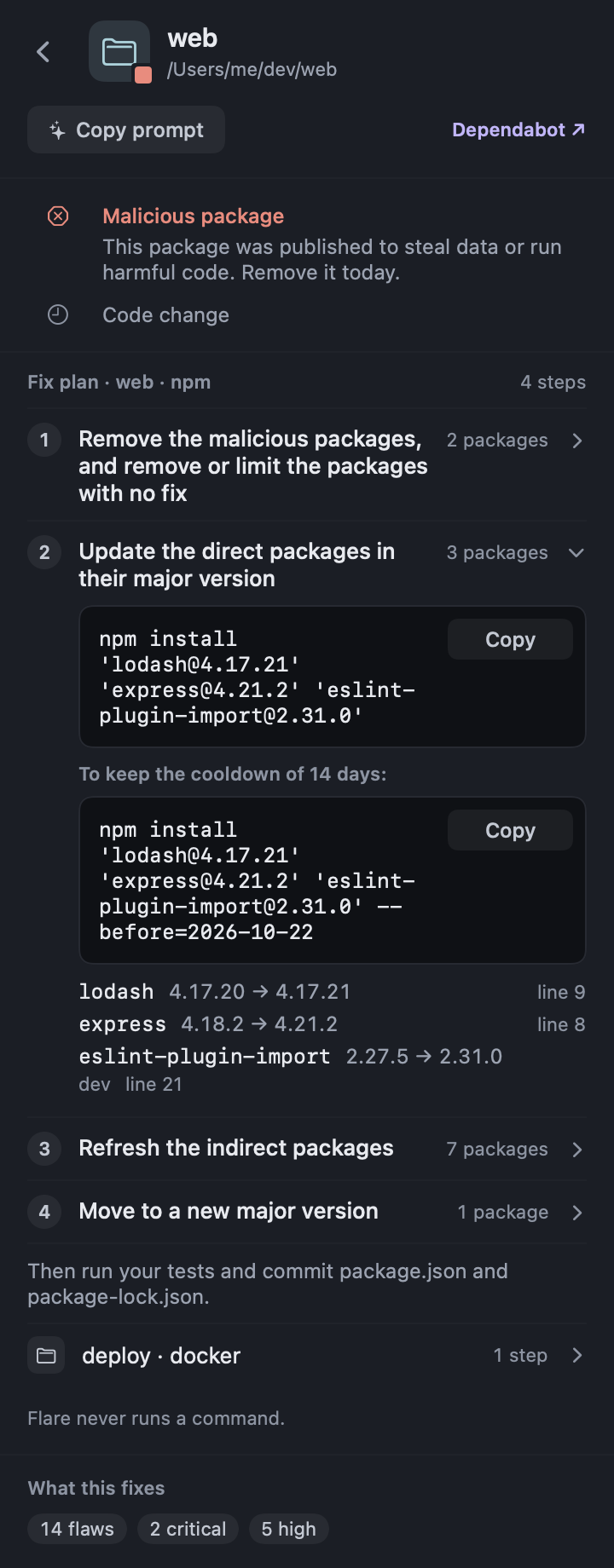
A fix plan for each repo
For each lock file, Flare gives the steps in order, with the command to copy. Flare never runs a command for you.
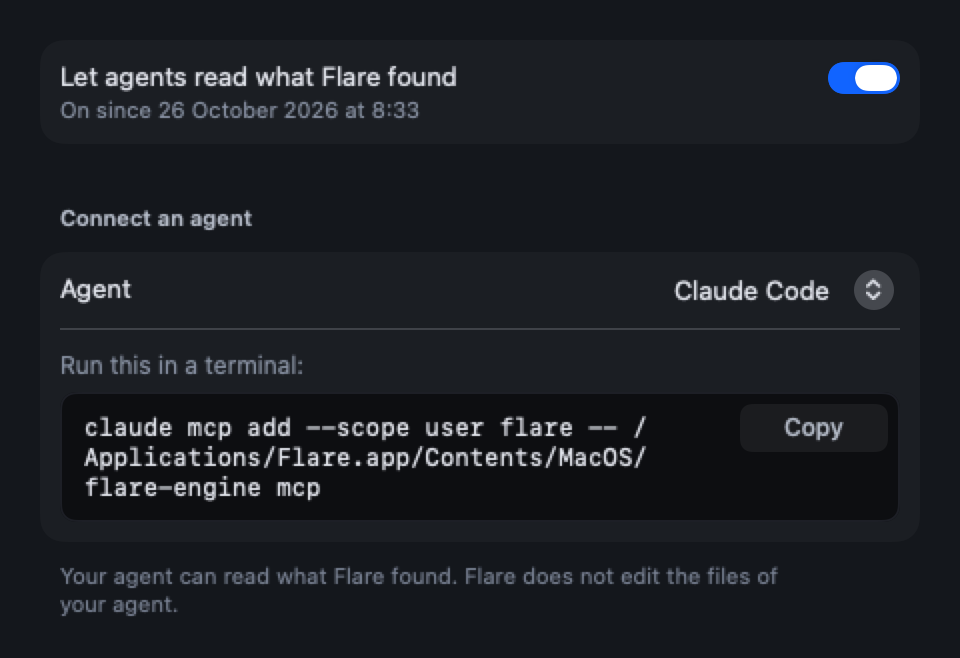
Your AI agent can help
If you turn on agent access, Claude, Cursor or Codex can read your results and help with the plan.
Check again after a fix
After you fix something, press the check button. Flare looks at that one thing again and tells you if it is fixed.
Your list of apps and packages never leaves your Mac.
Flare downloads a public list of known flaws and compares it with your Mac on your Mac. It sends nothing about what you have installed. If you turn on agent access, your AI agent reads the results, and its own service may get them.
Questions
Is Flare free?
Yes. Flare is free to download and to use.
What does Flare send off my Mac?
Nothing about your apps, your code or your images. Flare downloads the public list of flaws from feed.flarescan.dev, and that request holds nothing about your Mac. The check for a new version of Flare sends only the Flare version.
Where does the vulnerability data come from?
From public sources such as OSV.dev, the GitHub Advisory Database, the CISA catalog of exploited flaws, EPSS, the NVD and SOFA. Flare joins them into one signed list. Data sources and licenses names each source.
Which Macs does Flare run on?
Flare runs on a Mac with Apple silicon (M1 or later) and macOS 15 or later. Macs with an Intel processor and older versions of macOS are not supported. To see your chip and your version, open the Apple menu and choose "About This Mac".
Does Flare change anything on my Mac by itself?
No. Flare reads your Mac and shows what to do. It runs no fix. You do each step yourself, and Flare checks again when you ask.
How do updates work?
Flare checks once a day for a new version of itself. When one is ready, the popover shows a line. Flare installs it only after you press "Install Update".
Can my AI agent use Flare?
Yes, after you turn on agent access in the Flare settings. Then your agent can read the results of the last scan. Until then it gets nothing. Once it has them, its own service may get them too, so turn it on only for an agent that you trust.
How do I remove Flare?
Quit Flare and move it to the Trash. To remove its data too, delete the folder ~/Library/Application Support/Flare.
Get Flare for your Mac.
macOS 15 or later · Apple silicon · Signed and notarized by Apple · Free